
By Joseph Reed August 26, 2026
A POS can tell a restaurant how much customers tipped, but payroll needs much more than a tip total. Employers need to know which employee or shift earned each tip, which tips entered a lawful pool, how the pool was distributed, what cash tips employees reported separately, and whether the final payroll numbers reconciled to payment records.
That distinction is the foundation of reliable tip reporting through POS systems. A restaurant may process thousands of dollars in card tips correctly at checkout and still create payroll problems if employee attribution, cash-tip reporting, pooling rules, adjustments, or payroll imports are wrong.
Each stage has a different purpose. The POS records transactions and can perform useful tip-sharing calculations, while payroll turns employee-level amounts into wage and tax records. Federal and state labor laws determine what the restaurant may do with tips, and IRS rules determine how certain tip income must be reported.
That means no Clover setting, Square configuration, spreadsheet formula, or payroll integration by itself establishes legal compliance. Employers remain responsible for making sure their tip policies, payroll records, tax reporting, and actual payments to employees are correct.
Federal rules are only one layer. State and sometimes local laws may prohibit tip credits, restrict tip pools more tightly, regulate deductions, or otherwise provide greater employee protections. The U.S. Department of Labor states that where state and federal requirements differ, employers must follow the standard that is more protective of employees.
This guide explains how to build useful POS tip reporting, distinguish tip pooling from IRS allocated tips, reconcile restaurant tips before payroll, and obtain payroll-ready tip data from Clover or Square without confusing software functionality with wage-and-hour or tax compliance.
How Tip Reporting Through a POS Works
POS tip reporting begins at the transaction level. A guest pays a $75 restaurant check and voluntarily adds a $15 tip. The POS may know the payment amount, tip amount, payment method, order, employee who processed the transaction, time, location, and potentially the shift or team members associated with the order.
Payroll needs to transform that transactional information into employee compensation records. The $15 may belong entirely to the server, may enter a lawful tip pool, or may be shared according to the restaurant’s documented rules.
If the employee also received cash tips, those amounts may need to enter payroll through a separate employee-reporting workflow because the payment processor never handled the cash.
Restaurants should therefore track at least these categories separately:
- food and beverage sales;
- voluntary customer tips;
- mandatory service charges;
- cash tips reported by employees;
- credit and debit card tips;
- digital or online-order tips;
- refunds;
- post-authorization tip adjustments;
- tip-pool contributions;
- tip-pool distributions; and
- payroll corrections.
The important operational distinction is that POS tip totals are transaction records, while payroll needs employee-level wage and tax information.
For example, a restaurant might show $4,800 in card tips for a week. Payroll cannot safely import “$4,800 tips” as a single amount.
The business first needs to determine which employees earned the tips, what pooling rules applied, whether all eligible shifts were recorded, whether any checks were refunded, whether late gratuity adjustments were posted, and whether cash tips were reported separately.
A robust restaurant tip-reporting system therefore connects transaction data to employees using unique staff IDs rather than relying only on names. That becomes especially important when employees work at multiple locations or perform different roles during the same pay period.
Tips vs. Service Charges: The Classification Comes First
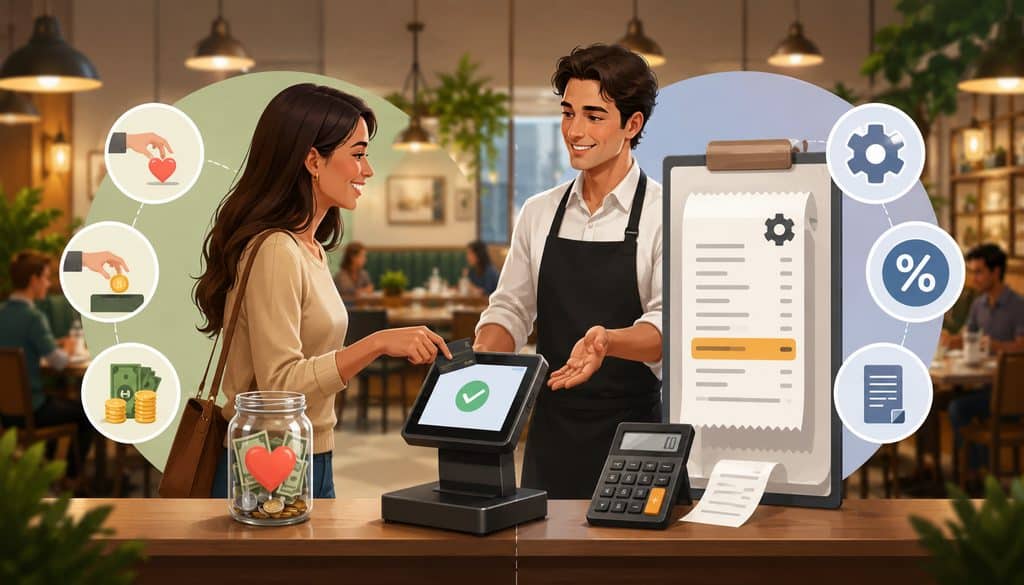
Restaurants should determine whether an amount is a voluntary tip or a mandatory service charge before deciding how to report, distribute, or import it into payroll.
For federal tax purposes, the IRS distinguishes voluntary tips from employer-imposed service charges. Current IRS guidance states that a payment is a tip when the customer voluntarily decides to pay it and determines the amount.
Mandatory charges, including certain automatic gratuities, generally are service charges rather than tips. When distributed to employees, those service-charge amounts are generally treated as wages paid by the employer.
That distinction matters even if a restaurant’s receipt calls the charge a “gratuity.” Labeling something an automatic gratuity does not necessarily make it a tip for federal tax purposes.
Consider a restaurant that automatically adds an 18% amount to parties of eight or more. Because the customer is required to pay the charge, the IRS generally treats it as a service charge rather than a voluntary tip. If the customer voluntarily adds another $20 after seeing the bill, that separate voluntary amount may be a tip.
| Item | Voluntary Customer Tip | Mandatory Service Charge |
| Customer controls whether to pay? | Generally yes | Generally no |
| Customer controls amount? | Generally yes | Usually set by business |
| POS classification | Tip/gratuity field | Separate service-charge/fee category |
| Payroll treatment | Tip income, subject to applicable reporting rules | Generally non-tip wages when paid to employees |
| Employer reporting considerations | Tip reporting, withholding and wage-law rules | Wage, payroll-tax and regular-rate considerations may apply |
| Should it automatically enter a tip pool? | Only under a lawful policy | Not merely because the receipt calls it a gratuity |
The Department of Labor similarly distinguishes compulsory service charges from tips for FLSA purposes. A mandatory charge is not automatically an employee tip merely because it appears near the gratuity line.
Restaurants should configure separate POS categories for voluntary tips and service charges so payroll and accounting systems do not silently combine them.
Cash Tips, Card Tips, and Employee Reporting

Cash and card tips may ultimately be taxable tip income, but they enter a restaurant’s systems differently.
Card tips normally create an electronic trail. The customer adds a tip at a terminal, on a receipt, through online ordering, or during digital checkout. The POS records the amount, while the payment processor handles the associated card transaction.
Cash tips are different. A server may receive $40 directly from guests during a shift, and no electronic payment system ever sees those dollars. Unless the employee reports them or the restaurant has another documented capture process, the POS cannot magically know they exist.
Current IRS guidance says employees who receive $20 or more in cash tips in a calendar month while working for an employer must report those tips to the employer, generally by the tenth day of the following month.
For this purpose, “cash tips” includes cash, checks, charged tips distributed to the employee, and tips received from other employees through tip-sharing arrangements. Employees must still account for tip income for federal income-tax purposes even where the monthly employer-reporting threshold does not require an employee report.
An employer can require more frequent reporting—for example, at the end of each shift—provided its process is consistent with applicable requirements.
A useful restaurant workflow is:
- Card tips enter the POS electronically.
- Employees report direct cash tips through a documented process.
- Tip-outs or pooled amounts are calculated.
- POS and employee-reporting records are combined.
- Payroll receives the final employee-level tip figures.
- Payroll validates tax and wage treatment.
This separation prevents one of the most common restaurant tip reporting mistakes: assuming that the card-tip report represents every tip an employee received.
What Payroll Usually Needs From Tip Data
Payroll generally needs records organized by employee and pay period rather than payment transaction.
Useful fields include:
| Field | Why It Matters |
| Employee ID | Connects the POS worker to the payroll worker |
| Work date | Places tips in the correct reporting period |
| Location | Supports multi-location reconciliation |
| Job/role | Helps apply documented eligibility rules |
| Direct card tips | Identifies electronically collected direct tips |
| Reported cash tips | Adds employee-reported amounts not captured by settlement |
| Pool contribution | Shows tips contributed to a pool |
| Pool distribution | Shows amounts received from the pool |
| Adjustment | Captures corrected or late amounts |
| Final payroll tips | Amount intended for payroll after reconciliation |
Employee-level data should be preserved even if the payroll system ultimately accepts a summarized import.
A good control is:
POS Employee ID → Payroll Employee ID
Create and maintain that mapping intentionally. Do not depend on “John S.” or “Maria” being sufficient identifiers across two systems.
Federal POS Tip Pooling Rules and Who Can Participate

A tip pool combines some or all employee tips and redistributes them according to a restaurant’s policy. Tip sharing is the broader concept of redistributing some tips among workers.
Federal law permits mandatory tip pooling, but who can participate depends heavily on whether the employer takes a tip credit and on the worker’s duties.
Under current Department of Labor guidance, an employer that takes a federal tip credit generally may require tipped employees to contribute only to a traditional tip pool consisting of employees who customarily and regularly receive tips. Examples given by the Department include servers, certain counter workers, bussers, and service bartenders.
When an employer pays workers the full federal minimum wage in direct cash wages and does not take a tip credit, federal law may permit a broader or “nontraditional” mandatory pool that includes employees such as cooks or dishwashers. This does not mean back-of-house employees can always participate. A state may impose stricter rules.
The employer itself cannot keep employees’ tips.
Managers and Supervisors Require Special Attention
Managers and supervisors may not receive other employees’ tips through a mandatory tip pool under the FLSA. The Department of Labor also explains that a qualifying manager or supervisor may keep a tip received directly from a customer only when that tip is for service the manager or supervisor directly and solely provided.
That distinction matters in working-manager environments.
Suppose a restaurant manager occasionally takes their own table from start to finish and the customer directly tips the manager. Federal rules may permit the manager to keep that directly and solely earned tip. But the manager cannot participate in a shared tip jar or receive a portion of a pool containing employees’ tips merely because the manager helped during a busy shift.
The DOL also states that managers or supervisors may contribute their own tips to a mandatory pool for other eligible workers, even though they cannot receive from that pool.
Restaurants should therefore avoid implementing POS tip eligibility based merely on a job title such as “FOH.” Eligibility needs to reflect the actual federal test, the restaurant’s tip-credit practices, employees’ duties, and applicable state law.
Tip Credit and Traditional vs. Nontraditional Pools
The tip credit is a wage-law concept. It allows qualifying employers under federal law to count a limited amount of an employee’s tips toward minimum-wage obligations if the applicable conditions are satisfied.
It is entirely different from IRS tip allocation.
Where the employer takes a tip credit, the federal pool generally must remain among workers who customarily and regularly receive tips.
Where the employer pays the full applicable minimum wage without taking a tip credit, federal rules may allow participation by otherwise non-tipped workers, but managers, supervisors, and the employer remain excluded from receiving employee tips.
State law can eliminate or narrow these options. Some states prohibit tip credits, impose different minimum cash wages, restrict pooling participants, or regulate tip deductions and distribution timing.
Employers should review the U.S. Department of Labor’s current tipped-employee guidance and their state labor agency before building those assumptions into POS rules.
Designing Tip-Pool and Tip-Sharing Calculations
Once a restaurant has determined who may lawfully participate, it needs a distribution method that can be explained, reproduced, and audited.
Common operational methods include pooling by eligible hours, weighted points, shift, job percentage, or transaction-specific sharing. No formula should be treated as universally lawful; federal requirements, state law, collective-bargaining obligations, and the employer’s wage practices still matter.
Hours-Based Tip Pool
A common educational formula is:
Employee Eligible Hours ÷ Total Eligible Hours × Pool Amount
Assume three legally eligible employees worked during a defined daily pool:
| Employee | Eligible Role | Eligible Hours | Pool Share | Distributed Tips |
| Employee A | Server | 8 | 40% | $240 |
| Employee B | Bartender | 7 | 35% | $210 |
| Employee C | Busser | 5 | 25% | $150 |
| Total | 20 | 100% | $600 |
The example merely demonstrates mathematics. It does not establish that these particular job classifications may share tips in every restaurant.
If an employee works four hours as a server and three hours in another role, the system should not automatically treat all seven hours identically. The restaurant needs a rule for determining which hours belong to the applicable pool.
Role-Based Tip Distribution
Restaurants sometimes use weights or percentages for different eligible roles. A server might carry one weight, a bartender another, and an eligible support role another.
A role-based formula is useful only when the underlying role assignments are accurate. If an employee changes jobs midshift but remains classified under one role all day, the role based tip distribution using a restaurant POS can become mathematically correct but operationally wrong.
The policy should document:
- which roles are eligible;
- which tips enter the pool;
- the pool period;
- whether calculations use hours, points, percentages, or another method;
- treatment of cash tips;
- treatment of online or delivery tips;
- effective dates for rule changes; and
- procedures for correcting errors.
Do not invent standard restaurant percentages. The appropriate distribution formula is business- and law-specific.
Transaction, Shift, and Online-Order Tips
Some restaurants prefer transaction-level sharing, especially where multiple employees jointly serve a table. Others use a shift, day, or weekly pool.
Whichever period is used should be defined in advance and applied consistently. A vague “end-of-night pool” becomes difficult to audit when employees clock in after midnight, work split shifts, or transfer between locations.
Online orders create additional attribution questions. A pickup tip might involve the employee packing the order, the worker handing it to the guest, or a broader team. QR ordering can similarly separate the person who processed the payment from the workers who provided the service.
Restaurants also need to distinguish in-person transactions from remote or manually entered payments when reviewing payment records.
The guide to accepting credit cards over the phone provides additional background on card-not-present payment workflows, which can be useful when reconciling catering deposits, telephone orders, or other restaurant transactions that do not originate at the physical checkout terminal.
Delivery requires another distinction. Merchant-collected delivery tips may flow through the restaurant’s POS, while tips collected by an independent delivery marketplace may remain under that platform’s control and reporting processes. Do not assume the restaurant can redistribute a tip merely because the order originated from its menu.
Catering also warrants separate mapping because a large event may involve sales staff, servers, bartenders, setup crews, and mandatory service charges on the same invoice.
Allocated Tips: The IRS Concept Restaurants Must Not Confuse With Tip Pools
IRS allocated tips are not simply the same thing as an employer distributing a tip pool.
Tip pooling redistributes actual tips among employees according to a lawful policy. Allocated tips are an IRS information-reporting mechanism for certain large food or beverage establishments when employees’ reported tips fall below the applicable percentage of gross receipts.
That difference is fundamental.
Who Is Subject to the Allocated-Tip Rules?
Current IRS guidance defines a large food or beverage establishment by several conditions. Among other requirements, the operation generally provides food or beverages for consumption on the premises, tipping is customary, and the employer normally has more than 10 employees on a typical business day under the IRS’s employee-hours test.
Restaurants should not use simple headcount alone to determine Form 8027 applicability. The detailed IRS instructions contain the actual employee-hours test and special rules.
A business operating multiple qualifying establishments may need a separate Form 8027 for each establishment.
How Allocated Tips Work
Current IRS Form 8027 instructions provide that if tips reported by employees of a qualifying establishment are below 8% of applicable gross receipts, or an IRS-approved lower rate, the employer may have to allocate the shortfall among directly tipped employees under the allocation rules. The IRS can approve a rate below 8%, but not below 2%, through its prescribed procedure.
The 8% figure is an allocation test. It is not a rule saying employees are expected to report only 8% of sales. Employees are responsible for reporting their actual tips.
The IRS currently recognizes three allocation approaches under Form 8027 rules:
- hours-worked method when the applicable eligibility conditions are satisfied;
- gross-receipts method; or
- good-faith agreement.
The hours-worked method has additional establishment-size requirements, so restaurants should not choose it merely because their POS already tracks hours.
Allocated tips are reported separately in Box 8 of Form W-2. IRS guidance explains that employers do not withhold federal income, Social Security, or Medicare tax on the allocated amount as though it were ordinary reported tip wages.
For current filing details, businesses should use the official IRS Form 8027 instructions rather than relying on a POS application’s label called “allocated tips.”
POS Data Needed for Form 8027
A qualifying restaurant may need data including:
- gross receipts from applicable food and beverage activity;
- charged receipts;
- charged tips;
- employee-reported tips;
- establishment identification;
- relevant payroll periods; and
- information used for the chosen allocation method.
The exact Form 8027 lines and gross-receipts definitions should be taken from the current IRS instructions.
This is another reason POS categories matter. If mandatory service charges, voluntary tips, nonqualifying receipts, refunds, and food/beverage receipts are mixed together, the restaurant may have difficulty producing accurate annual tax reporting.
Clover Tip Reporting and Getting Payroll-Ready Data
Clover can capture tipped payments and associate payments with employees, but restaurants should verify the functionality available in their particular Clover hardware, software version, plan, installed apps, and processor configuration.
Current Clover developer documentation confirms that Clover payment data can include a tip amount and that payments can be associated with an employee. Clover’s API, for example, can retrieve payments under a specific employee and includes payment and tip information.
Current Clover installation materials also recommend individual employee passcodes because they improve security and reporting detail. Clover documentation notes that tip configuration can depend on whether the account is tip-enabled and how the device is configured.
That means Clover tip reporting should start with employee attribution.
A restaurant should verify that:
- every worker has an individual employee profile or identifier;
- shared login credentials are avoided;
- tipping is enabled where needed;
- paper-receipt gratuity adjustments are finalized before closeout;
- refund and adjustment workflows are documented;
- employee-level sales and tip records can be retrieved;
- installed tip-pooling or payroll apps are separately evaluated; and
- export fields can be mapped to payroll.
Setting Up Tip Pooling on Clover
Restaurants searching for how to set up tip pooling on Clover POS dashboard should be cautious about generic online instructions. Clover is an extensible platform, and tip-pooling functionality may be supplied or augmented through applications in the Clover ecosystem rather than one universal workflow that applies to every merchant.
Clover’s own restaurant guidance discusses pooling methods such as hours, points, and percentages, and references third-party applications that can support these workflows. That guidance should not be interpreted as a guarantee that every Clover merchant account includes the same native pool configuration.
Before relying on a Clover tip-pooling workflow, verify:
- which Clover product and plan you have;
- whether the capability is native or app-based;
- which tips are included;
- whether cash tips are supported;
- how employee eligibility is configured;
- whether rules operate by transaction, shift, or another period;
- how edits are logged;
- how multi-location workers are handled; and
- what data is passed to payroll.
Running Clover Tip Reports for an Accountant
If you want to run Clover tip reports for my accountant, do not send only a grand total.
A useful accountant package should contain employee-level tip information where available, sales and payment totals, refunds, gratuity adjustments, relevant date ranges, and documentation of tip-pool distributions. If service charges are used, they should be broken out separately.
A payroll-ready Clover export can be organized as:
Employee Identifier → Pay Period → Direct Tips → Pooled Tips → Reported Cash Tips → Adjustments → Final Payroll Tip Amount
Where Clover or an installed app supports CSV, API, or payroll integration, confirm exactly which of these fields transfer. A field called “tips” may mean card tips collected, tips owed, tips distributed, or another platform-defined amount.
The objective is not simply to export payroll ready tip data from Clover. The objective is to make the export payroll ready through validation and reconciliation.
Square Tip Management and Payroll Tip Importing
Square currently provides comparatively detailed official documentation for team tip attribution, tip pooling, cash-tip declarations, and Square Payroll integration.
Square’s current tip-pooling documentation says supported accounts can use several distribution models, including direct attribution, per-transaction pools, hours-worked pools, and percentage-based distribution among tip-eligible jobs. Availability depends on eligible subscriptions and configurations.
Square also supports employee profiles and individual passcodes, which can help attribute sales, time, and actions to specific team members.
Setting Up Tip Pooling in Square
Current Square documentation places supported tip-pool controls in Square Dashboard under staff tip settings. Account owners or users with appropriate permissions can establish a pool, define how frequently tips are tallied, select a distribution approach, specify eligible roles, and apply settings to locations subject to current product requirements.
Square’s documentation currently describes options that include:
- attribution to the employee collecting the tip;
- pooling per transaction;
- pooling based on hours worked; and
- percentage-based pooling among eligible jobs.
For a restaurant interested in how to split tips per transaction on Square, the per-transaction option divides qualifying transaction tips among tip-eligible team members clocked in at the relevant time according to Square’s configured distribution model.
Software eligibility is not the same as legal eligibility. A manager could technically have a “tip eligible” toggle available while federal or state law prohibits that person from receiving pooled employee tips. The employer must configure the software correctly.
Square Payroll Tip Importing
Square’s current payroll documentation says full-service Square Payroll subscribers can enable tip importing for W-2 employees. Credit-card tips may be imported directly or pooled and split according to configured Square Shifts distribution settings.
Square also allows businesses using the supported workflow to require employees to declare cash tips when clocking out or switching jobs and then import those amounts into a payroll run.
Square identifies several limitations. Its current tip-import documentation states that tip importing does not itself deduct card-processing fees from tips and does not include certain categories such as auto-gratuity in Square for Restaurants. Employers should verify the current support page before relying on these limitations because platform features can change.
For current details, see Square’s official tip-pooling guidance and Square Payroll tip-import documentation.
Clover vs. Square Tip Reporting
| Area | Clover | Square |
| Employee attribution | Payment and employee data supported; configuration varies | Team-member attribution supported |
| Tip reports | Available through Clover reporting/data ecosystem; verify account/app | Team/sales and tip reporting available |
| Tip pooling | May depend on Clover product/apps/configuration | Documented pooling features on eligible plans |
| Cash-tip entry | Verify Clover/app workflow | Cash-tip declaration supported in documented workflows |
| Payroll integration | Depends on installed integration/app/provider | Square Payroll tip import supported for qualifying users |
| Export capability | Verify reports/API/app format | Reporting and payroll import options available |
| Legal compliance | Employer responsibility | Employer responsibility |
The comparison should not be treated as a recommendation for either platform. The right configuration depends on the restaurant’s workflow, payroll provider, locations, employees, and legal requirements.
POS Payroll Integration and What “Payroll Ready” Really Means
A direct connection between a POS and payroll system is convenient, but automation does not eliminate the need for controls.
There are five common POS payroll integration tips models:
- native POS/payroll ecosystem;
- direct third-party integration;
- CSV export and payroll import;
- API-based transfer; and
- manual summarized payroll entry.
A restaurant may also use separate timekeeping, tip-management, and payroll applications. In that case, the business needs a clear “system of record” for each field.
Payroll-ready tip data should be:
- employee-specific;
- pay-period-specific;
- categorized correctly;
- reconciled;
- free from duplicate imports;
- adjusted for legitimate corrections;
- mapped to valid payroll employee IDs;
- aligned with the restaurant’s lawful tip policy; and
- traceable back to source transactions or employee declarations.
A system that can transfer digital tip pool data directly into payroll software still requires an import review. One duplicated file can double employee tips, while one missing location can understate them.
Multi-Location and Multi-Role Employees
Multi-location employees deserve additional controls.
Assume Maya works at Restaurant A on Monday as a server and Restaurant B on Friday as a bartender. If each restaurant maintains a separate tip pool, her payroll record needs more than “Maya — $420 tips.”
The source data should preserve:
- location;
- role;
- shift or work date;
- direct tips;
- applicable pool;
- pool contribution;
- distribution; and
- adjustment history.
The same issue occurs when employees switch jobs during one shift. Payroll may need consolidated pay-period totals, while the tip engine may need role-level hours to calculate the distribution accurately.
Recommended POS-to-Payroll Reconciliation Table
| Employee | Direct Card Tips | Cash Tips Reported | Pool +/- | Adjustments | Payroll Tip Total |
| Employee A | $620 | $110 | -$95 | $0 | $635 |
| Employee B | $410 | $65 | +$70 | $10 | $555 |
| Employee C | $280 | $40 | +$25 | -$5 | $340 |
The arithmetic shown is hypothetical. The important control is that every change from original POS tips to payroll tips can be explained.
Reconciliation Before Payroll: The Most Important Operational Control
Restaurants should reconcile tip data before payroll is approved, not after employees notice a missing amount.
Use this sequence:
POS Tips Collected → Refund/Adjustment Review → Pool Calculation → Employee Tip Totals → Processor Settlement Review → Payroll Export
Start by closing the relevant POS period and confirming that all checks have been finalized. Restaurants using post-payment written tips should make sure gratuity adjustments have been entered before exporting the period.
Next, review refunds and reopened checks. A refunded transaction can change sales, tips, or both. The treatment of an employee’s previously paid tip is a wage-law question and should not be handled through an automatic clawback without reviewing applicable law.
Then calculate the tip pool using the documented rules and confirm that every participant was eligible.
After that, compare employee totals to payment records.
Card Tip Reconciliation
Card reconciliation can examine:
- gross card sales;
- card tips;
- refunded sales;
- refunded tips where applicable;
- tip adjustments;
- settled card transactions; and
- processor funding.
Do not expect processor deposits to equal restaurant card sales plus tips exactly. Deposits may be net of processing fees, chargebacks, refunds, funding adjustments, or other items.
The key is to be able to bridge the numbers.
For example:
Gross Card Payments – Refunds – Processor Fees ± Funding Adjustments = Expected Net Deposit
Tip payroll should be separately reconciled to the tip component of the underlying transactions.
Cash Tip Reconciliation
Cash tips generally do not pass through a card processor. A server may leave the restaurant with the cash while still needing to report the amount through the employer’s established reporting process.
A strong cash-tip workflow therefore focuses on employee reporting, acknowledgments, shift records, and payroll capture rather than bank settlement.
Do not force the numbers to equal the cash drawer unless your operational system actually handles those tips through the drawer.
Payroll Cutoff Workflow
A practical payroll cutoff is:
- close the POS reporting period;
- verify unresolved or unsettled checks;
- review refunds and gratuity adjustments;
- confirm employee cash-tip reports;
- run the lawful tip-pool calculation;
- reconcile employee totals;
- generate the payroll export;
- validate POS-to-payroll employee IDs;
- import the file once;
- compare imported totals with the approved export; and
- approve payroll only after differences are resolved.
The key validation is:
POS Approved Payroll Export Total = Payroll Imported Tip Total
Any legitimate difference should be documented.
Processing Fees, Late Adjustments, Refunds, and Other Edge Cases
Restaurant tip reporting becomes more difficult when transactions change after the original checkout.
Under federal FLSA guidance, where an employer incurs a percentage-based card-processing fee, it may generally reduce a charged tip by the proportional transaction fee, but not by more than the fee attributable to that tip. State law may prohibit or further restrict this practice, so restaurants should not configure an automatic tip deduction solely from the federal rule.
Restaurants should also understand how their underlying card-processing pricing works before attempting to reconcile processing costs associated with tipped transactions.
This guide to interchange-plus pricing explains how interchange charges and processor markups are separated, which can help operators understand why payment-processing costs do not always appear as one simple percentage.
For example, federal guidance does not authorize an employer to invent a flat “5% tip processing charge” merely because processing costs exist. Any permissible reduction must stay within the applicable legal limits, and state law may require the employee to receive the full tip.
Tip Adjustments After Checkout
Full-service restaurants often authorize a card transaction and enter the written tip later.
That creates a reporting cutoff issue. If a payment occurs at 11:55 p.m. but the tip is entered at 12:20 a.m., the restaurant needs consistent rules for assigning the adjustment to the proper business day and payroll period.
Square, for example, documents settlement workflows for payments awaiting tips and notes that transaction settlement affects when payments appear as completed. Clover documentation similarly advises merchants using tip adjustment to allow adequate time between tip entry and closeout.
Exporting payroll before adjustments are final can therefore understate tips.
Tips Entered After Payroll Cutoff
Late tips should follow a documented correction procedure.
Avoid silently shifting the amount to another employee or arbitrarily burying it in the next period. Instead document:
- original transaction;
- employee;
- amount;
- date discovered;
- reason for delay;
- payroll treatment;
- manager approval; and
- correction date.
Payroll or legal review may be needed when the timing affects wage-payment requirements.
Refunds After Tips Were Paid
Refunds require careful analysis because the customer transaction and employee wage obligations are not necessarily the same event.
If the restaurant refunds an order after the employee has already received the tip, do not assume the restaurant can automatically deduct that tip from a future paycheck. Wage-deduction and tip laws vary by jurisdiction.
Negative tip adjustments should similarly require approval rather than automatically flowing into payroll.
Recordkeeping, Audit Trails, and Manager Controls
Good POS tip reporting is as much about evidence as arithmetic.
The Department of Labor’s tip regulations include recordkeeping requirements for tipped employees and certain tip-pooling arrangements. Businesses should preserve payroll and other records necessary to demonstrate how tips were received and distributed.
Federal tax recordkeeping adds another layer. Employee tip reports and payroll records need to support federal wage and tax filings, while state agencies may impose separate requirements.
A restaurant’s audit trail should preserve:
- original tip amount;
- transaction ID;
- employee ID;
- timestamp;
- original location;
- tip adjustment;
- employee reassignment;
- manager approval;
- reason for correction;
- pool calculation;
- payroll export version; and
- final payroll treatment.
Manager permissions should be limited around high-impact actions such as reopening checks, changing tips, reassigning employees, changing tip-pool eligibility, editing timecards, or modifying payroll exports.
Editing Tip-Pool Rules
Changing a tip pool should never be treated like changing a screen preference.
Document:
- previous policy;
- new policy;
- affected employees;
- reason for change;
- legal review where appropriate;
- effective date;
- employee communication;
- POS configuration change; and
- person approving the change.
Avoid retroactively applying new pool rules merely because a system allows an earlier effective date.
Daily Tip Review
A manager or payroll administrator can review daily exception reports for:
- unusually large tips;
- negative tip adjustments;
- missing employee IDs;
- checks processed under shared credentials;
- reopened checks;
- manually changed gratuities;
- cash-tip declaration exceptions;
- employees marked tip eligible unexpectedly; and
- pool totals that do not reconcile.
The restaurant does not need arbitrary “fraud thresholds.” What matters is identifying exceptions relative to normal operations and maintaining a review process.
Accounting for Tips, Service Charges, and the General Ledger
Tip accounting should connect POS records, processor funding, payroll, bank activity, and the general ledger without treating everything collected at checkout as restaurant revenue.
Customer tips collected by the restaurant for employees generally need to be tracked separately from operating sales and reconciled through the restaurant’s appropriate tip-payable or payroll accounts. Exact chart-of-account treatment depends on the company’s accounting policies and professional guidance.
Service charges require separate analysis because they are not automatically tips. Amounts distributed to employees may be treated as wages, and the accounting can differ from voluntary customer gratuities.
A useful high-level flow is:
POS → Payment Processor → Tip Liability → Payroll → Bank → General Ledger
Tip Liability Reconciliation
| Period | Tips Collected | Tips Distributed | Tips Paid Through Payroll | Outstanding Difference |
| Week 1 | $8,400 | $8,400 | $8,400 | $0 |
| Week 2 | $8,950 | $8,900 | $8,900 | $50 pending adjustment |
An outstanding balance is not automatically an error. A $50 difference might represent a late tip, payroll cutoff item, or valid timing difference.
But every recurring balance should be explained.
Restaurants should also avoid comparing gross payroll tip obligations directly to processor deposits without accounting for payment-processing fees and other settlement deductions.
Processor statements can also contain network and account-level charges that do not correspond directly to an individual employee’s tips.
For additional payment-cost context, this explanation of the Visa Fixed Acquirer Network Fee shows why merchant processing expenses can include charges beyond the simple percentage assessed on an individual transaction.
For general ledger purposes, preserve separate categories for:
- restaurant revenue;
- voluntary tips collected;
- employee tip liabilities;
- service-charge revenue where appropriate;
- service-charge wages where applicable;
- payroll clearing; and
- processor fees.
An accountant should review the ultimate classification for the business.
Common Tip Reporting Errors and a Restaurant Control Matrix
The most damaging tip problems are often caused by ordinary configuration errors rather than complicated payroll formulas.
Common failures include treating a mandatory service charge as a voluntary tip, ignoring cash tips, confusing allocated tips with pooled tips, including an ineligible manager in a pool, using outdated employee mappings, importing the same file twice, and exporting data before gratuity adjustments are finalized.
Another frequent mistake is assuming the POS determines whether a tip pool is legal. A software checkbox labeled “tip eligible” is only a configuration setting.
Restaurant Tip Reporting Control Matrix
| Risk | POS/Payroll Control |
| Missing cash tips | Document employee reporting and declaration workflow |
| Wrong employee attribution | Individual login/passcode and employee-ID review |
| Unlawful pool participant | Legal/policy review before enabling eligibility |
| Duplicate payroll import | Unique import control and total comparison |
| Incorrect service-charge classification | Separate POS item/category and payroll mapping |
| Unreconciled card tips | Reconcile card tips to transactions and settlement |
| Late tip adjustment | Payroll cutoff and correction workflow |
| Incorrect allocated-tip reporting | Separate Form 8027 review using IRS rules |
Tip Reporting Checklist
| Area | Verified? |
| Tip vs. service-charge classification | □ |
| Written tip-pool policy | □ |
| Pool participants eligible | □ |
| Tip-credit status reviewed | □ |
| State-law requirements reviewed | □ |
| Cash-tip reporting workflow | □ |
| Card-tip reconciliation | □ |
| POS employee IDs | □ |
| Payroll employee IDs | □ |
| Clover/Square configuration | □ |
| Payroll export/import mapping | □ |
| Form 8027 applicability | □ |
| Allocated-tip calculation if applicable | □ |
| Late-adjustment process | □ |
| Audit trail and manager approvals | □ |
Questions to Ask Your POS Provider
Before changing tip systems, ask:
- Can tips be tied to individual employee IDs?
- Does the system support tip pooling?
- Which pooling formulas are supported?
- Can pool rules vary by role or location?
- How are cash tips recorded?
- Can tips be split across multiple employees?
- How are refunded or adjusted tips handled?
- Which users can edit tips?
- Are changes timestamped and logged?
- Can reports export tips by employee and pay period?
- Which payroll systems integrate directly?
- Do pooled amounts transfer automatically?
- How are employees who work at multiple locations handled?
- What happens if a check is reopened after payroll cutoff?
Questions to Ask Your Payroll Provider or Accountant
Also ask:
- Which tip fields should be imported?
- How should employee-reported cash tips be entered?
- Should direct and pooled tips use separate payroll fields?
- How should mandatory service charges be handled?
- Does Form 8027 apply to this establishment?
- How are IRS allocated tips reported?
- How should late tip corrections be processed?
- How should multi-location employees be mapped?
- Which POS and reconciliation reports should be retained?
Frequently Asked Questions
How does POS tip reporting work?
POS tip reporting captures customer tips at the transaction level and associates them with information such as the employee, order, payment method, time, or location. The restaurant then applies any lawful distribution rules, adds separately reported cash tips, reviews adjustments, and converts that information into employee-level payroll records.
The key point is that POS tip totals are not automatically payroll ready. Employers should reconcile transactions, employee attribution, tip pools, cash-tip reports, refunds, and employee IDs before importing data into payroll.
What is the difference between tip pooling and tip sharing?
Tip pooling generally means combining tips from multiple employees and redistributing the pool among eligible workers according to a defined policy. Tip sharing is a broader term describing the redistribution of some tips between employees.
Federal rules govern mandatory tip pools, including who may participate depending on whether the employer takes a tip credit. State law may impose stricter requirements, so restaurants should not adopt a pool formula solely because their POS supports it.
Who can legally participate in a restaurant tip pool?
It depends on the employer’s wage practices, employee duties, and applicable law.
Under federal law, an employer taking a tip credit generally must restrict a mandatory pool to employees who customarily and regularly receive tips.
If the employer pays the full federal minimum wage without taking a tip credit, certain non-tipped employees may be included under federal law. Managers and supervisors cannot receive other employees’ tips through the pool. State rules can be more restrictive.
Can managers or supervisors receive pooled tips?
Generally not under the FLSA. Managers and supervisors covered by the federal tip provisions may not keep portions of other employees’ tips, including through a tip pool or shared tip jar.
A manager or supervisor may keep a tip that a customer gives directly for service that the manager or supervisor directly and solely provided. That exception does not authorize participation in an employee tip pool.
What are allocated tips?
Allocated tips are an IRS tax-reporting concept that may apply to qualifying large food or beverage establishments when employees’ reported tips fall below 8% of applicable gross receipts or an IRS-approved lower rate.
The allocation is calculated under Form 8027 rules and may be reported in Box 8 of affected employees’ Forms W-2. It is not simply a POS method for dividing actual restaurant tips among employees.
Are allocated tips the same as pooled tips?
No.
Tip pooling redistributes actual tips among eligible employees. Allocated tips are additional amounts reported for tax-information purposes under IRS rules when qualifying establishments have insufficient reported tips.
Restaurants should use separate terminology and payroll fields so an ordinary pool distribution is not accidentally treated as IRS allocated-tip reporting.
When does Form 8027 apply?
Form 8027 generally applies to employers operating qualifying large food or beverage establishments. IRS criteria include on-premises food or beverage service, customary tipping, and an employee-hours test equivalent to normally having more than 10 employees on a typical business day.
Restaurants with multiple establishments may need separate Forms 8027. Businesses should determine applicability using the current official instructions rather than simple headcount.
How should cash tips be entered into payroll?
Cash tips should enter payroll through a documented employee-reporting process because card processors usually cannot see tips handed directly to employees.
Current IRS rules generally require employees receiving $20 or more in cash tips during a calendar month from an employer to report those tips to that employer by the applicable deadline. Restaurants can use more frequent reporting workflows, such as shift-end declarations, to make payroll reconciliation easier.
Can Clover export employee tips for payroll?
Clover can capture tipped payments and associate payment information with employees, and its platform/API provides employee-level payment and tip data. Exact report, export, tip-pooling, and payroll-integration capabilities can vary by Clover configuration, application, product, and processor relationship.
Restaurants should verify the available report or integration on their own account before creating a payroll workflow rather than following an unverified universal dashboard path.
Can Square automatically distribute pooled tips?
Square currently documents automatic tip-distribution functionality for eligible subscriptions and configurations. Supported models include transaction-based, hours-based, and percentage-based tip distribution, subject to the current product rules.
Square can also integrate supported tip information with Square Payroll. Employers still need to configure tip-eligible employees correctly and ensure that those employees may legally participate under federal and state law.
How do I get payroll-ready tip data from a POS?
Start with employee-specific POS data, finalize tip adjustments and refunds, add reported cash tips, apply the documented lawful tip-pool formula, reconcile employee totals, and map POS IDs to payroll IDs.
Then export the approved data and compare the total imported into payroll with the approved POS-to-payroll file. A successful technical import does not prove that the tip amounts or legal classifications were correct.
How should card tips be reconciled before payroll?
Compare card-tip reports with underlying transactions, refunds, post-checkout adjustments, employee attribution, and processor settlement information.
Remember that the processor’s net deposit may not equal gross card collections because processing fees, refunds, chargebacks, or funding adjustments can reduce deposits. Payroll should be reconciled to employee tip obligations rather than simply to the bank deposit.
Are automatic gratuities treated as tips?
A mandatory automatic gratuity generally is treated as a service charge rather than a voluntary tip for federal tax purposes. The IRS looks at whether the customer voluntarily chooses the payment and controls the amount.
If a customer voluntarily adds an additional amount above a mandatory charge, that additional voluntary amount may constitute a tip. POS and payroll systems should therefore keep mandatory charges and voluntary gratuities separate.
Can credit-card processing fees be deducted from employee tips?
Federal FLSA guidance permits an employer in certain circumstances to reduce a charged tip by no more than the proportional card-processing fee attributable to the tip.
That does not authorize arbitrary deductions, and state law may prohibit or further restrict the practice. Restaurants should review applicable state requirements before configuring any automated fee reduction.
What reports should a restaurant give its accountant for tip reporting?
A useful package can include employee-level card-tip reports, employee-reported cash tips, sales reports, refund and gratuity-adjustment records, tip-pool calculations, service-charge reports, processor settlement records, payroll registers, and explanations of outstanding reconciliation differences.
Qualifying establishments may also need records supporting Form 8027, including applicable gross receipts, charged receipts, charged tips, and employee-reported tips.
Conclusion
Reliable tip reporting through POS systems requires more than turning on a tip prompt or exporting a weekly report.
The strongest restaurant process follows the entire information chain:
Customer Tip → POS Records Tip → Employee/Shift Attribution → Tip Pool/Distribution Rules → Daily Reconciliation → Payroll Export → Payroll Review → Tax/Wage Reporting → Accounting Reconciliation
Start by classifying voluntary tips separately from mandatory service charges. Track cash and card tips through appropriate workflows, and make sure direct tips, pool contributions, pool distributions, late adjustments, and corrections remain identifiable.
Build any tip pooling POS configuration only after determining who may legally participate. Federal rules differ depending on tip-credit status, managers and supervisors cannot receive other employees’ tips through a pool, and state law may provide greater employee protections.
Keep IRS allocated tips completely separate from ordinary restaurant tip distribution. Allocated tips exist for a specific federal information-reporting purpose involving qualifying large food or beverage establishments and Form 8027; they are not simply the amounts a POS calculates when sharing a nightly tip pool.
Clover and Square can both contribute useful transactional and employee data, but capabilities depend on product configuration. Square currently documents several automatic pooling and payroll-import workflows, while Clover’s ecosystem can involve native reporting, APIs, and installed applications.
In either case, employers should verify current platform documentation rather than relying on old dashboard screenshots or generic setup instructions.
Most importantly, do not send unreconciled POS totals directly into payroll. Validate employee IDs, locations, roles, cash tips, card tips, refunds, gratuity adjustments, pooling calculations, and imported totals first.
A POS can calculate and organize the numbers. It cannot replace the employer’s responsibility to make sure those numbers represent lawful tip distributions, accurate payroll records, and correct tax reporting.