By Joseph Reed August 26, 2026
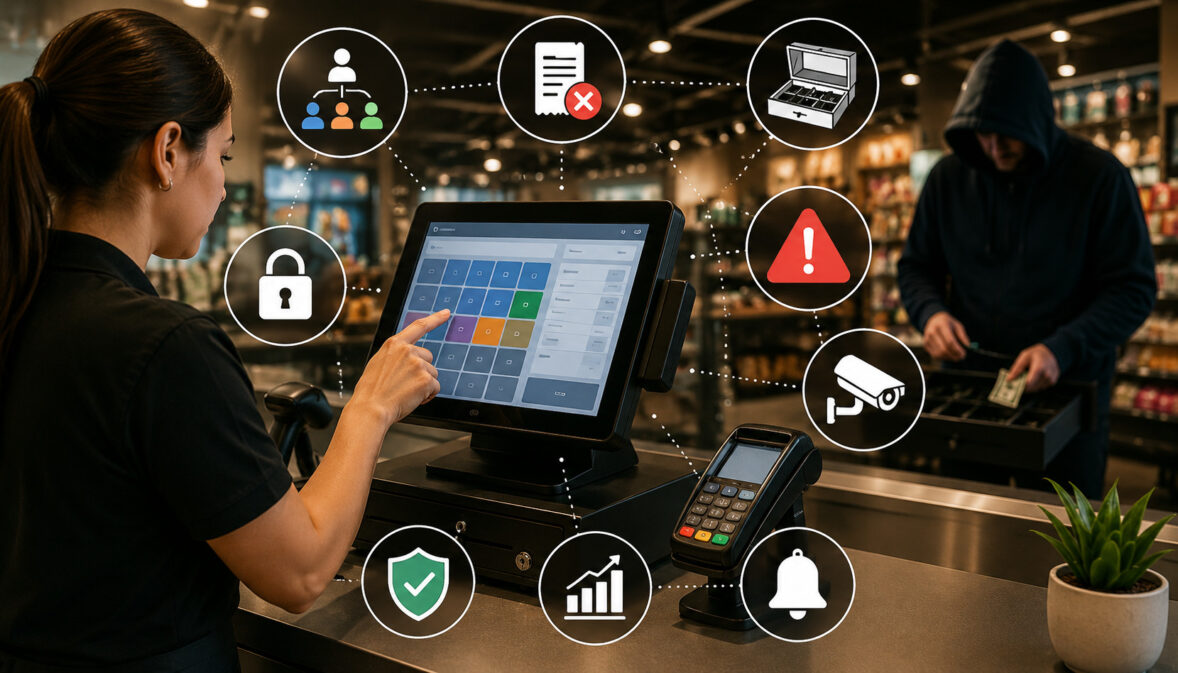
Register theft often does not begin with a dramatic cash shortage. It may first appear as a pattern of unusual voids, repeated no-sale drawer openings, unexplained discounts, refunds without documentation, price overrides, or cash differences that repeatedly follow the same employee, register, or shift.
A well-configured point-of-sale system can make those patterns easier to see without turning every mistake into an accusation. Effective POS access controls limit unnecessary privileges, identify who performed sensitive actions, preserve reliable records, and connect transaction exceptions with cash reconciliation.
That sequence matters because a void, refund, no-sale event, or cash shortage is not proof of employee theft. Each is a data point. The goal of configuring POS controls to prevent retail loss is to identify combinations and recurring patterns that deserve review while protecting legitimate employees from unsupported accusations.
Strong controls also help with ordinary operational problems. Excessive voids POS reports may reveal poor training, confusing menu design, incorrect product pricing, scanner failures, inadequate staffing, or a badly designed checkout workflow rather than deliberate misconduct.
The best retail loss prevention POS strategy therefore combines prevention, detection, reconciliation, fair investigation, and regular control reviews.
What Are Cashier Permissions in a POS?
Cashier permissions determine what an employee can do after logging in to a point-of-sale system. Instead of giving every employee access to every feature, businesses can assign cashier access levels based on job responsibilities.
A front-line employee may need permission to ring items, accept permitted payment types, complete ordinary sales, and print receipts. That employee may not need unrestricted authority to issue refunds, alter product prices, open the drawer without a sale, change tax settings, edit users, or view sensitive business reports.
This approach is consistent with the security principle known as least privilege. NIST describes least privilege as limiting users to the authorizations necessary to perform their required functions.
For a POS environment, permissions commonly control actions such as:
- Completing sales
- Accepting cash, cards, gift cards, or other tenders
- Opening the cash drawer
- Applying discounts
- Voiding individual items
- Canceling entire transactions
- Processing refunds
- Changing prices
- Reprinting receipts
- Reopening checks or suspended sales
- Entering cards manually
- Running cash payouts
- Viewing reports
- Changing product or tax settings
- Creating users
- Modifying POS employee permissions
- Changing administrator settings
A business configuring POS controls should start with actual job duties rather than copying a generic permission template. A cashier in a small bakery, a bartender handling open checks, and a customer-service employee processing retail returns may legitimately need different privileges.
The FTC similarly recommends limiting access to sensitive information according to business need rather than allowing employees unrestricted access.
Standard Cashier vs. Supervisor vs. Manager Permissions
There is no universal permission matrix that fits every merchant. However, a role-based starting point helps businesses decide which actions can be performed routinely and which deserve stronger authorization.
| Function | Cashier | Supervisor | Manager/Admin |
| Complete sale | Usually | Yes | Yes |
| Apply limited discount | Depending on policy | Usually | Yes |
| Void item | Limited or request | Usually | Yes |
| Void completed transaction | Usually restricted | Restricted | Usually |
| Issue refund | Limited or restricted | Often limited | Usually |
| Open drawer/no-sale | Limited | Depending on role | Usually |
| Price override | Restricted | Limited | Usually |
| View operational reports | Minimal | Limited | Broader |
| Change permissions | No | Usually no | Authorized admin only |
“Standard cashier permissions for retail” should therefore be treated as a risk-based concept rather than a universal configuration. A business with many returns may authorize carefully limited refund functions at customer service, while a cash-heavy convenience store may place greater emphasis on drawer permissions, paid-outs, and shift reconciliation.
Least Privilege, Unique Accounts, and Secure Authentication

The strongest cashier permissions POS configuration becomes much weaker if employees share usernames, manager PINs, or administrator credentials. Unique accounts create accountability because the business can connect an action with the person who was authenticated when it occurred.
PCI Security Standards Council guidance emphasizes individual accountability and generally requires users to be uniquely identifiable. Its guidance on shared credentials explains that shared or generic authentication should ordinarily be prevented except in specifically managed exceptional circumstances.
Businesses should therefore avoid:
- Shared cashier usernames
- Generic “REGISTER1” accounts used by several employees
- Manager PINs known throughout the store
- Shared administrator passwords
- Employees processing transactions under someone else’s login
- Former employees retaining active accounts
Where supported, require each employee to sign in individually and use controls appropriate to the system, such as unique PINs or passwords. Administrative and back-office accounts deserve stronger protection because they may control roles, reporting, payment configurations, audit settings, or remote access.
For administrative environments, multi-factor authentication should be used where supported and required for the merchant’s payment environment. PCI DSS provides security requirements for organizations that store, process, transmit, or can affect the security of payment account data.
Access should also be reviewed regularly. Store transfers, promotions, temporary responsibilities, and employee departures can leave unnecessary privileges behind if nobody revisits the permission list.
Cash Drawer Assignment and Shared Drawers
Where operations allow it, assigning one cashier to one drawer or one clearly defined till responsibility period can improve accountability. If the drawer is short, management can compare the shortage with the transactions handled during that assignment.
Shared drawers weaken that relationship because multiple people can affect the same cash balance. Restaurants, high-volume retailers, and small stores may still need shared drawers, so the solution is not always to ban them.
Compensating controls can include:
- Transaction-level employee identification
- Opening and closing drawer counts
- Handoff counts when responsibility changes
- Logged manager drawer openings
- Shift-based exception reports
- Separate employee authentication even when the physical till is shared
A good control structure identifies both who performed the POS action and who had custody of the cash whenever practical.
Understanding Voids, Refunds, No-Sales, Discounts, and Other Sensitive Actions
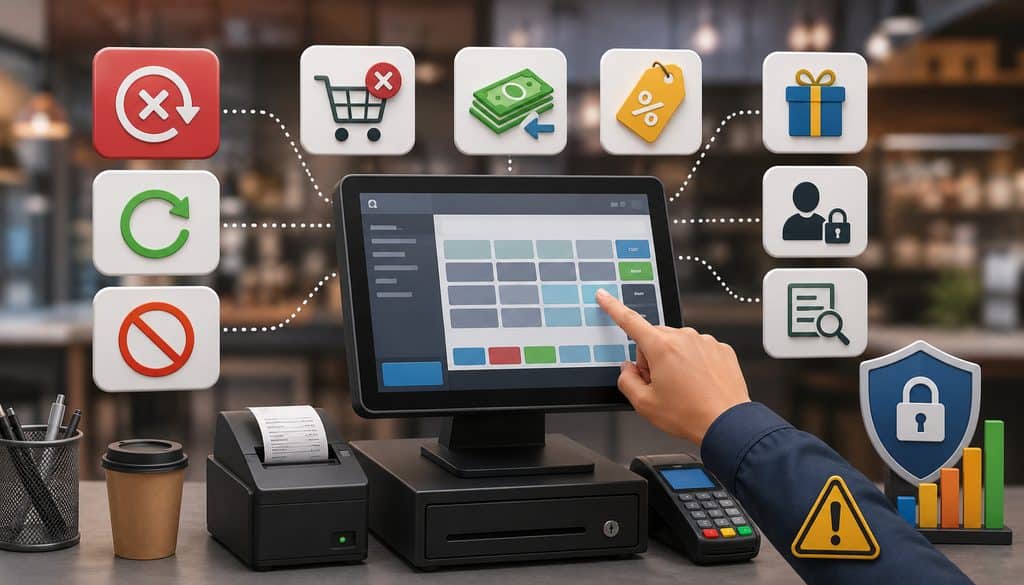
Many weak investigations begin by treating every unusual transaction as the same type of event. A void, refund, no-sale, discount, and price override can affect revenue or cash differently and should be analyzed separately.
A void generally cancels an item or transaction before it reaches the final stage applicable to that POS and payment workflow. Exact terminology varies. Some systems use “void” for a canceled item, while others use it for reversing a transaction before settlement.
A refund returns money after a completed sale. Refunds should not be treated as simply another kind of void because the original sale and the later return of funds are separate events.
A no-sale usually means the cash drawer was opened without completing a normal sale. Legitimate reasons can include making authorized change, conducting a shift count, or manager access.
A discount reduces the selling price under a defined promotion, employee benefit, customer-service policy, or discretionary authorization.
A price override manually changes an item’s price rather than applying an established discount rule.
A cash payout or paid-out records cash intentionally removed for an approved business purpose, such as an authorized expense.
A cash shortage or overage is the difference between the POS-expected amount and the amount physically counted.
A manager override POS action uses elevated authority to approve a restricted transaction or function.
Clear event definitions make exception reporting more useful because managers can ask what actually happened instead of grouping unrelated activity into one “suspicious” bucket.
No-Sale Drawer Controls and Alerts
A no-sale event is not inherently improper. Employees may need drawer access for authorized cash management, change-making, shift handoffs, or other operational reasons.
The risk arises when drawer openings occur without clear business context or when no-sale activity repeatedly appears beside other discrepancies. Businesses should therefore configure no-sale alerts POS controls as exception-detection tools rather than automatic theft alarms.
Useful controls may include:
- Restricting no-sale access by role
- Requiring supervisor or manager approval
- Requiring a reason code
- Recording the employee and approving manager
- Logging the register and location
- Recording the exact timestamp
- Associating the event with the active shift
- Sending POS no-sale alerts for selected exceptions
- Reviewing drawer opens with cash reconciliation
A no-sale record should ideally answer: Who opened the drawer, where, when, under which role, why, and who approved it if approval was required?
Why No-Sale Counts Need Context
Three no-sales during a busy shift can have a very different meaning from three drawer openings after normal operations have ended. Neither scenario automatically proves misconduct.
Managers should interpret no-sale activity alongside:
- Store type
- Employee role
- Transaction volume
- Shift duration
- Opening and closing procedures
- Staffing levels
- Manager presence
- Cash shortages or overages
- Register location
- Reason codes
- Approval records
A cashier working hundreds of transactions should not necessarily be compared directly with an employee who processed only a handful. Comparing activity per shift or relative to transaction volume often provides more meaningful context than raw totals.
Real-time void and no-sale alerts for retail managers become most useful when the business defines rules based on its own documented operations and then reviews patterns consistently.
Configuring Void Controls Without Disrupting Checkout
Voids are necessary in normal retail and restaurant operations. Customers change their minds, employees scan duplicate items, modifiers are entered incorrectly, or an order is canceled before completion.
The objective is not to eliminate voids. It is to restrict unnecessary authority and create enough evidence to explain what happened.
A business trying to restrict voids POS functions could configure the system so that a cashier can request a void while a supervisor approves certain changes. Full transaction cancellations or other sensitive adjustments may require higher authorization depending on policy.
Every void should preferably remain visible in the POS audit trail rather than disappearing from history.
Item Voids vs. Full Transaction Voids
Item voids and full transaction voids can indicate different operational problems. An item void may reflect a scanning error, menu selection mistake, duplicate entry, or customer change.
A full transaction void may involve cancellation of an entire order. Because the financial and operational context differs, businesses should report them separately where their POS supports that distinction.
Useful void reason codes might include:
- Customer changed mind
- Duplicate entry
- Incorrect item
- Pricing error
- Order canceled
- Training/test transaction under an authorized procedure
An unrestricted “other” category can reduce reporting value if employees use it constantly. If “other” remains available, require a short explanation when practical.
Voids After Tender and Excessive Voids
Payment terminology becomes especially important after tender. A card transaction canceled before completion, an authorization reversal, and a completed sale later refunded are not identical processes.
The business should follow its POS provider, processor, acquirer, and payment-network procedures for the relevant transaction type rather than calling every reversal a void.
High void activity is an exception indicator, not proof of theft. Legitimate causes can include:
- Poor employee training
- Confusing touchscreen layouts
- Incorrect barcode data
- Menu configuration problems
- Wrong prices
- Complex restaurant modifiers
- Scanner failures
- Hardware or network instability
A cashier void report becomes much more useful when managers ask whether the pattern follows an individual, product, store, terminal, or system problem.
Refund, Discount, Price Override, and Paid-Out Controls
Refund fraud prevention deserves its own control structure because refunds move money after a completed sale. A business should define who can approve refunds, how much authority each role receives, and what documentation is required.
POS cashier permissions may distinguish among standard returns, no-receipt returns, manual refunds, large refunds, and transactions from earlier periods. The system should preserve the original sale reference whenever supported.
Refunds should generally be connected to the original transaction and original payment method where the applicable processor, payment method, network rules, and business policy support that workflow. Businesses should not treat unrelated standalone credits as substitutes for properly documented refunds.
For broader payment-security context, merchants can review the PCI Security Standards Council’s PCI DSS resources and relevant network operating rules.
Cash Refunds and No-Receipt Refunds
A cash refund tied to a previous card sale deserves careful controls because the original payment and the outgoing cash follow different channels. Businesses should require legitimate policy support and an auditable record rather than allowing employees to improvise.
No-receipt refunds may be necessary in some retail environments, but they typically justify stronger controls such as:
- Manager approval
- Item verification
- Reason codes
- Return documentation
- Original transaction lookup when possible
- Review of repeated activity
Collect customer information only when lawful, necessary, and consistent with the merchant’s documented policies. Excessive data collection can create unnecessary privacy and security risk.
Discounts and Price Overrides
Different discount types should have separate permissions wherever possible. An employee meal, marketing promotion, coupon, customer-recovery discount, and manager discretionary discount serve different purposes.
Patterns worth reviewing can include an unusual concentration of discounts by one employee, repeated generic discount reasons, or discount activity that frequently coincides with other exceptions. These are investigation leads, not conclusions.
Price overrides deserve similar controls. Require an authorized permission level, a reason, and an audit trail recording the original price and replacement price.
Cash Payouts
Paid-out functions can be legitimate for petty cash, approved delivery expenses, or other documented business uses. However, cash should not leave a drawer without an auditable reason.
A strong paid-out workflow can require:
- Authorized role
- Reason code
- Receipt or supporting documentation
- Manager approval when appropriate
- Inclusion in cash reconciliation
Manager Overrides and Separation of Duties
A manager override creates a second level of authorization for sensitive functions. It can reduce opportunity for both accidental and intentional misuse, but only if the approving manager is independently identifiable.
If every cashier knows the manager PIN, the control has largely lost its purpose.
Potential manager-controlled functions include:
- Refunds
- Full transaction voids
- Large or unusual discounts
- Price overrides
- No-sale drawer openings
- Reopening closed checks
- Post-payment adjustments
- Sensitive manual tender actions
- Selected cash payouts
The precise list should reflect operational risk rather than an assumption that managers must approve everything.
Separation of duties strengthens the process further. Where practical, the same individual should not control every stage of a financial workflow.
A business may separate:
- Cashiering
- Refund approval
- Cash counting
- Deposit preparation
- Permission administration
- Exception review
- Bank reconciliation
NIST security guidance recognizes separation of duties and least privilege as important access-control concepts, particularly for privileged accounts and sensitive functions.
Small businesses may not have enough employees for perfect segregation. Compensating controls can include owner review, independent bank reconciliation, rotating cash counts, daily exception reports, and lawful review of relevant surveillance footage.
POS Audit Trails and Tamper-Resistant Records
A POS audit trail is one of the most important tools for detecting employee theft through point of sale data because it records the history behind sensitive actions.
An effective audit record should ideally include:
- Employee or authenticated user
- Register
- Store/location
- Transaction identifier
- Action performed
- Original value
- Changed value
- Timestamp
- Reason
- Approving manager
- Related original transaction when applicable
PCI SSC describes logging as a way to maintain records of who performed an action, what occurred, where and when it happened, and enough information to support investigation of unexpected or unauthorized activity.
Immutable or Tamper-Resistant Logs
Front-line employees should not be able to erase their own completed transaction history. Administrators who can change logging behavior should also be tightly restricted and monitored.
PCI SSC guidance identifies accounts that can change security controls, maintain logs, change retention settings, alter permissions, or delete logs as examples of potentially administrative functions requiring appropriate protection.
A POS does not necessarily need technically immutable storage to provide useful accountability, but historical records should be tamper-resistant enough that corrections and administrative changes remain traceable.
If a legitimate transaction requires correction, preserve:
Original record → Correction → Reason → User → Timestamp
Do not simply replace history with a revised record that hides what happened before.
Audit-log retention should reflect business policy, POS and processor capabilities, accounting needs, contractual obligations, payment-security requirements, and applicable law. There is no single POS retention period suitable for every kind of log or merchant.
Exception Reporting, Alerts, and Contextual Analytics
POS exception reporting focuses management attention on activity outside normal workflows. It is one of the most practical ways to audit POS transactions for employee theft indicators without manually reviewing every sale.
Typical exception categories include:
- Voids
- Refunds
- No-sales
- Discounts
- Price overrides
- Paid-outs
- Canceled checks
- Reopened orders
- Negative sales
- Manual tender activity
- Drawer shortages
- Selected receipt reprints
- Administrative changes
An exception report should support review rather than merely produce a long list.
| Event | Employee | Register | Time | Amount | Reason | Manager Approval | Review Status |
| Item void | Example A | R2 | 2:14 PM | $18.50 | Incorrect item | Supervisor 1 | Reviewed |
| No-sale | Example B | R4 | 8:42 PM | — | Change request | Manager 2 | Pending |
| Refund | Example C | R1 | 4:09 PM | $72.00 | Customer return | Manager 1 | Reviewed |
All data above is hypothetical.
Threshold-Based vs. Pattern-Based Alerts
A threshold alert fires when an event exceeds a rule chosen by the business. A pattern alert identifies activity that becomes unusual relative to an employee’s role, store, shift, transaction volume, or prior operating context.
Both can be valuable.
A threshold may surface a significant refund quickly. Pattern analysis may reveal that one cashier’s void activity has changed substantially compared with employees performing comparable work.
Avoid publishing universal numbers for “too many” no-sales, refunds, or voids. Retail formats differ too much for one benchmark to be reliable.
Normalize Activity by Volume
Raw counts can mislead.
20 voids on 2,000 transactions represent a different operating pattern from 20 voids on 100 transactions.
Useful internal metrics can include:
- Voids per 100 transactions
- Refunds per 100 transactions
- Discounts per 100 transactions
- No-sales per shift
- Cash over/short by shift
- Manager overrides relative to transaction count
An employee exception scorecard might look like this:
| Metric | Employee | Store/Peer Context | Review Needed? |
| Voids per 100 transactions | Hypothetical result | Comparable cashiers | Yes/No |
| Refunds per 100 transactions | Hypothetical result | Similar role | Yes/No |
| No-sales per shift | Hypothetical result | Similar shift | Yes/No |
| Discount rate | Hypothetical result | Store/department | Yes/No |
| Cash over/short | Hypothetical result | Same register type | Yes/No |
Time and Transaction Sequence Analysis
Managers may review whether exceptions cluster around store opening, closing, shift changes, low-traffic periods, or after-hours access. Timing is context, not proof.
Related transaction sequences may also be useful investigation leads. For example:
Sale → Void → No-Sale → Cash Shortage
or
Sale → Refund → Drawer Activity
The point is to connect records and ask whether they have a legitimate explanation. The analysis should never assume the sequence itself proves intentional wrongdoing.
Cash Drawer and Deposit Reconciliation
Cash reconciliation connects POS records with the money physically present. Without reconciliation, even excellent alerting may show unusual transactions without revealing whether actual cash is missing.
A basic expected-cash calculation is:
Starting Cash + Cash Sales + Authorized Cash In − Cash Refunds − Authorized Paid-Outs = Expected Drawer Cash
Then:
Actual Count − Expected Cash = Over/Short
Consider this hypothetical shift:
| Shift | Cashier | Starting Cash | Cash Sales | Cash Refunds | Paid-Outs | Expected | Counted | Over/Short |
| Evening | Employee A | $200 | $1,420 | $65 | $25 | $1,530 | $1,518 | -$12 |
A $12 shortage does not prove theft. It may result from incorrect change, an incorrect tender selection, counting error, undocumented payout, or other process failure.
Repeated shortages connected with the same employee, register, transaction pattern, and exception events deserve closer review.
Cash Overages Matter Too
Overages should not automatically be treated as harmless. Repeated overages may indicate change errors, sales not entered correctly, tender mistakes, or broader cash-control problems.
The objective is to understand why the POS expectation and physical count disagree.
Where supported, a blind cash count can require the employee to enter the physical count before seeing the expected POS amount. This reduces the temptation to adjust a count toward the expected number and can provide a cleaner record of what was actually counted.
Blind counts are an optional internal-control tool rather than a universal requirement.
Shift Counts, Dual Verification, and Deposits
Depending on risk and staffing, businesses may use:
- Opening counts
- Shift-change counts
- Closing counts
- Manager verification
- Two-person counts for higher-risk situations
- Smart-safe records
- Deposit reconciliation
Deposit reconciliation should follow the money through each stage:
POS Cash Expected → Drawer Count → Deposit Slip or Smart Safe → Bank Deposit
Any unexplained difference between stages deserves documentation and review.
For merchants evaluating transaction hardware and checkout processes more broadly, this overview of credit card terminals and their role in payment processing can provide additional POS context.
Card Transactions, Manual Entry, Refunds, and Payment Security
Cash-related theft can involve transaction manipulation even when a sale initially appears correctly in the POS. That is why cash controls should be reviewed alongside card, refund, and tender activity.
Manual card entry should usually be treated as a separate permission where the POS supports granular controls. Keyed transactions have different operational and fraud considerations from ordinary card-present payments and should be limited to employees who genuinely need that function.
For businesses that accept remote payments, the guide on accepting credit cards over the phone explains additional considerations around manual card-entry workflows.
Card Refund Abuse
Unauthorized refunds can create financial loss when refund authority is too broad. Businesses should link refunds to legitimate underlying sales, maintain authorization records, and follow processor and network requirements.
Payment-network rules and capabilities can vary, so specific refund processing procedures should be verified with the merchant’s processor or acquirer. Visa maintains current merchant-facing payment rules and security information through its merchant rules and payment-system resources.
Do Not Put Sensitive Card Data in Loss-Prevention Reports
A loss-prevention report does not need full payment-card credentials.
PCI guidance defines sensitive authentication data to include elements such as card verification codes and PIN/PIN-block data. Sensitive authentication data has strict handling restrictions, and cardholder data must be appropriately protected.
POS exception reports should use:
- Transaction IDs
- Masked account references
- Tokens
- Processor reference numbers
- Other non-sensitive identifiers
Do not place full PANs, CVV/CVC values, PINs, or sensitive authentication data in employee-monitoring spreadsheets or investigation notes.
Receipt Reprints, Suspended Sales, Reopened Orders, and Inventory Cross-Checks
Less obvious POS functions can provide useful context when they interact with financial exceptions.
Repeated receipt reprints may be worth reviewing if receipts are used in a return or refund process. A reprint by itself is not suspicious; customers lose receipts and businesses legitimately reprint documentation.
Suspended transactions, parked sales, open checks, and reopened orders should also retain their history. Restaurants especially need visibility into who reopened a check, changed items, applied a comp, modified a tip, or closed an order differently.
If a POS allows draft items to be deleted before a transaction is finalized, management should understand that workflow. Completed financial transactions should not simply disappear without an audit record.
Inventory and POS Cross-Checks
Inventory data can strengthen an investigation because register records tell only part of the story.
A useful reconciliation model is:
Units Sold → Inventory Reduction → Waste/Returns → Physical Inventory
Differences may indicate:
- Inventory shrink
- Receiving problems
- Mis-keyed items
- Waste not recorded
- Incorrect counts
- Transaction irregularities
Managers should be especially attentive to valuable inventory based on their own product mix and loss history without publishing lists that could encourage theft targeting.
Restaurants should separately code employee meals, manager comps, customer recovery, and promotions. Lumping every free or reduced-price item into “comp” weakens the audit trail.
Post-payment tip adjustments should likewise be permission-controlled and logged. Exact adjustment rules and timing should follow the merchant’s processor, POS provider, and applicable payment-network requirements.
Industry-Specific POS Controls
Different retail environments create different control priorities. A useful configuration starts with common principles but adapts permissions to the operating model.
Restaurants and bars frequently manage open checks, modifiers, comps, voided items, tip adjustments, cash drawers, and reopened orders. Manager authorization may therefore focus heavily on check changes after ordering or payment.
Retail stores often face greater return, coupon, price-override, receipt, and no-receipt refund activity. Exception reporting should separate those categories rather than combine everything into a generic adjustment report.
Convenience stores may process very high transaction volumes and significant cash activity. Shift-based reconciliation, drawer accountability, regulated-product controls where applicable, and concise alerts can be more useful than reviewing raw exception totals without volume context.
Multi-Location Businesses
Multi-location operators should establish a baseline POS access-control model across the organization while allowing documented local exceptions.
For example:
| Function | Store A | Store B | Store C | Corporate Rule |
| Cashier refund | Restricted | Restricted | Restricted | Manager approval |
| No-sale | Supervisor | Manager | Supervisor | Logged approval |
| Price override | Manager | Manager | Manager | Reason required |
| Permission changes | No local cashier | No local cashier | No local cashier | Admin only |
Centralized reporting can identify patterns that individual stores may miss, including unusual activity after an employee transfer, location-specific exception spikes, or repeated manager overrides.
Do not assume a high-exception store is experiencing theft. A product setup problem, staffing issue, manager practice, or local process difference may explain the pattern.
POS Administrator Permissions and Control Changes
POS administrator access can be more sensitive than ordinary cashier privileges because an administrator may be able to modify roles, users, tenders, reports, tax configuration, security settings, or alert behavior.
Administrative permissions should be granted only to employees who need them and should be reviewed independently.
The FTC’s business-security guidance specifically recommends limiting administrative access to personnel whose responsibilities require it.
Administrative functions worth protecting include:
- Changing roles
- Creating privileged accounts
- Altering tender settings
- Changing tax configuration
- Disabling alerts
- Modifying reporting rules
- Changing log settings
- Managing remote access
- Changing manager permissions
A POS administrator should not automatically become the sole reviewer of their own high-impact configuration changes.
POS Control Change Log
Keep a record whenever material control settings change.
| Change | Old Setting | New Setting | Date | Approved By | Reason |
| Refund role | Supervisor | Manager | Example date | Operations lead | Policy revision |
| No-sale control | Unrestricted | Approval required | Example date | Store owner | Control review |
Documenting changes allows management to understand whether changes in exception activity resulted from employee behavior or simply from a different system configuration.
Employee Privacy, Video Surveillance, and Fair Investigation
Employee transaction monitoring should have a legitimate business purpose and be conducted consistently. POS data can help identify exceptions, but businesses must also respect applicable employment, privacy, labor, surveillance, and data-protection requirements.
Access to monitoring reports should be limited to people who need the information for operations, loss prevention, finance, HR, legal, or management responsibilities.
Written policies should explain, where appropriate, that company systems may record user activity and that sensitive functions are subject to review.
Video surveillance can sometimes provide useful context when timestamps are matched with POS transactions. However, businesses should use cameras only where lawful and consistent with notice, workplace, audio-recording, privacy, and other applicable requirements.
Do not rely on hidden or unlawful monitoring.
A Fair Investigation Workflow
An alert should begin a review, not end one.
A defensible workflow is:
- Preserve the relevant transaction records.
- Verify that POS data and timestamps are accurate.
- Compare exceptions with cash reconciliation.
- Review receipts, refund documentation, and reason codes.
- Verify manager approvals.
- Compare activity with appropriate peer and shift context.
- Preserve relevant surveillance footage where lawfully available.
- Record objective findings.
- Escalate under established company policy.
- Consult qualified HR, legal, security, or law-enforcement professionals where appropriate.
Do not alter historical evidence once an incident has been identified.
An incident log can help maintain consistency:
| Date | Event | Employee/Register | Evidence Reviewed | Outcome | Corrective Action |
| Example | Repeated void review | Employee A / R3 | POS log, till count | Training issue | Retraining |
| Example | Refund exception | Employee B / R1 | Receipt, approval | Authorized | None |
Frequent errors may indicate training problems, confusing POS layouts, bad product configuration, or inadequate staffing. A good investigation remains open to those explanations.
Alert Fatigue, Control Effectiveness, and Review Cadence
More alerts do not automatically produce better loss prevention. If managers receive hundreds of low-value notifications every day, meaningful exceptions can disappear into the noise.
Businesses should prioritize alerts according to operational importance and review whether each alert leads to useful action.
Conceptual escalation tiers might include:
- Informational: retained for reporting and trend analysis
- Manager review: requires documented review
- Urgent investigation: requires timely escalation under policy
These levels should use internally defined rules rather than publicly published universal counts or dollar values.
Daily, Weekly, and Monthly Reviews
Daily review can focus on:
- Voids
- Refunds
- No-sales
- Discounts
- Overrides
- Paid-outs
- Cash differences
- Unusual administrative activity
Weekly review can examine patterns by:
- Employee
- Register
- Shift
- Store
- Transaction type
- Reason code
- Manager approval
Monthly access review should confirm:
- Current employees
- Former employees removed
- Correct role assignments
- Manager accounts
- Administrator users
- Temporary access
- Remote accounts
- Shared credentials eliminated
Offboarding should promptly remove POS, manager, back-office, refund, and remote-access permissions according to business policy. Temporary employees should receive limited role-based access rather than permanent manager credentials.
After changing controls, management should also measure:
- Void frequency
- Refund frequency
- No-sales
- Cash over/short
- False-positive alerts
- Manager override volume
- Operational delays caused by approvals
Controls should reduce risk without making ordinary checkout unnecessarily difficult.
Common POS Control Mistakes
Many preventable problems come from weak configuration rather than sophisticated fraud.
Common mistakes include shared cashier logins, shared manager PINs, unrestricted refund authority, no-sale access for every employee, and vague void reason codes.
Others include ignoring price overrides, failing to reconcile drawers, allowing former employees to remain active, or giving one POS administrator unrestricted control over every financial and security setting.
Additional weaknesses include:
- No exception-review process
- No documentation for paid-outs
- No review of receipt reprints or reopened transactions
- Excessive alerts nobody investigates
- Monitoring employees based on raw counts without transaction context
- Accusing employees after one anomaly
- Storing sensitive card data in reports
- Changing alert rules without documenting the change
- Failing to review manager override activity
- Comparing high-volume cashiers with low-volume employees without normalization
The objective is not maximum restriction. It is creating sensible point-of-sale internal controls that make responsibilities clear and unusual financial activity visible.
For businesses reviewing payment-processing economics alongside operational controls, this explanation of interchange-plus pricing and transaction reporting concepts may provide additional merchant-processing context.
POS Theft-Prevention Control Matrix
The best cashier permissions and void controls combine preventive measures with detective controls.
| Risk Area | Preventive Control | Detective Control |
| Unauthorized void | Restrict void permission; manager approval | Void exception report |
| No-sale drawer opening | Role restriction; reason/approval | POS no-sale alerts and till review |
| Refund abuse | Refund permission limits; original transaction link | Refund exception reporting |
| Discount abuse | Separate discount types and permissions | Employee discount trend review |
| Price override | Restricted override authority | Original-vs-new-price audit |
| Cash shortage | Drawer assignment; documented paid-outs | Register reconciliation |
| Unauthorized admin access | Least privilege; strong authentication | Administrator activity logs |
| Deposit discrepancy | Documented custody and deposit process | POS-to-bank reconciliation |
This matrix illustrates the larger principle: preventive controls reduce opportunity, while detective controls help identify exceptions that still occur.
No individual control is enough by itself.
POS Setup Checklist and Questions for Your Provider
A POS configuration review should examine roles, transaction permissions, auditability, reconciliation, and administrative security together.
| Control | Configured? |
| Unique cashier logins | |
| Role-based permissions | |
| Manager override | |
| Void reason codes | |
| Refund restrictions | |
| No-sale restrictions | |
| Discount limits | |
| Price override controls | |
| Cash-drawer assignment | |
| Exception alerts | |
| Audit trail | |
| Daily reconciliation | |
| Access review | |
| Offboarding process | |
| Admin access restrictions |
When evaluating a POS, ask the provider:
- Can cashier roles be customized?
- Can voids require manager approval?
- Can no-sale drawer opens be restricted?
- Are no-sale events logged with user and timestamp?
- Can refund permissions be separated from cashier permissions?
- Can discounts and price overrides have different roles?
- Can selected alerts be delivered in real time?
- Can alert rules vary by store or employee role?
- Are manager overrides tied to individual accounts?
- Can completed transaction records be deleted, or are changes retained?
- What information appears in the audit trail?
- How long are audit logs available?
- Can exception reports be exported securely?
- Can employee activity be normalized by transaction volume?
- Does the POS support blind cash counts?
- Can administrative activity be audited separately?
- Can former employees be centrally disabled?
- Can approval records identify the specific manager?
Frequently Asked Questions
What permissions should a cashier have in a POS?
Cashiers should generally receive only the permissions necessary for their actual duties. That usually includes ringing ordinary sales, accepting authorized payment types, and performing routine checkout functions.
Sensitive actions such as refunds, significant price overrides, unrestricted no-sale drawer openings, permission changes, and administrative configuration may warrant additional approval.
The correct POS cashier permissions depend on the business model, employee role, transaction volume, and operating procedures rather than a universal template.
Which POS functions should require manager approval?
Functions commonly considered for manager approval include certain refunds, full transaction voids, significant discretionary discounts, price overrides, paid-outs, reopened transactions, and no-sale drawer openings.
That does not mean every business must require approval for every event. Managers should identify actions that create meaningful financial or control risk and balance them against the need for efficient service.
What is a no-sale transaction?
A no-sale generally records a cash-drawer opening that does not occur as part of completing a standard sale.
Legitimate no-sales can occur when authorized staff make change, conduct a cash count, complete a drawer handoff, or perform another permitted activity. Because circumstances vary, a no-sale should be recorded with user, time, register, and preferably a reason or approval when appropriate.
Are frequent no-sales a sign of employee theft?
Not by themselves. Repeated no-sales may deserve review, but legitimate operating practices can generate them.
Managers should consider transaction volume, shift length, job role, cash procedures, reason codes, manager approvals, and related shortages or overages. The objective is to detect register theft early by identifying patterns that require investigation, not to assume every employee with a high raw count has done something wrong.
How can a POS help detect cashier theft?
A POS can help by restricting sensitive actions, assigning unique employee logins, logging overrides, generating exception reports, tracking refunds and discounts, recording no-sale drawer opens, and connecting activity to cash reconciliation.
The system is most effective when data is reviewed in context. POS information can reveal anomalies and recurring patterns, but it should be combined with receipts, cash counts, approval records, schedules, and other legitimate evidence before conclusions are reached.
Should cashiers be allowed to void transactions?
Many cashiers legitimately need some ability to correct mistakes, but unrestricted void authority is not always appropriate.
A retailer might allow item-void requests while requiring supervisor approval for full transaction cancellation or certain sensitive situations. Whichever approach is chosen, voids should remain in the audit trail with employee identification, timestamps, reason codes, and approval information where required.
What is the difference between a void and a refund?
A void generally cancels an item or transaction before the final completion or settlement stage defined by the POS and processor workflow.
A refund returns money after a sale has already been completed. Because payment-system terminology varies, merchants should confirm the exact behavior of their POS and processor. The two should not be treated as interchangeable in exception reporting.
How can retailers monitor excessive voids?
Start by measuring void activity relative to transaction volume, role, store, and shift rather than using raw counts alone.
Compare similar employees and investigate changes over time. Review item voids separately from full transaction voids where possible and examine reason codes, manager approvals, products, training issues, and cash results. Avoid using one universal percentage as proof of misconduct.
What POS alerts help detect register theft?
Useful alerts can cover selected refunds, unusual void activity, repeated no-sales, significant price overrides, unusual discounts, unexpected drawer openings, or sensitive administrator changes.
Alerts should be configured around the merchant’s own risk profile. Combining event-based rules with contextual pattern analysis can help reduce false positives and alert fatigue.
How should refunds be restricted in a POS?
Refund permissions should match employee responsibilities and may be separated by amount, receipt status, transaction age, payment method, or management approval depending on POS capability.
Where supported and appropriate, connect the refund with the original transaction and permitted payment method. Keep the original transaction, refund record, employee, reason, and approval in the audit trail.
Why are unique cashier logins important?
Unique logins connect POS activity with an authenticated user. Without them, managers may be unable to determine which employee processed a void, refund, discount, no-sale, or other sensitive action.
Individual accounts also support more precise cashier access levels. PCI SSC guidance emphasizes individual accountability and auditable user activity in payment environments.
How do you reconcile a cash drawer at the end of a shift?
Calculate expected cash using starting cash, cash sales, authorized cash additions, refunds, and paid-outs. Then compare the expected amount with the physical count.
The difference is the over/short amount. Investigate unexplained differences using POS records, receipts, paid-out documentation, voids, no-sales, and shift activity rather than assuming a shortage automatically represents theft.
What POS transaction patterns should managers review?
Managers may review concentrations of voids, refunds, no-sales, discounts, price overrides, reopened checks, receipt reprints, manual tenders, and cash discrepancies.
Patterns become more meaningful when several events occur together or repeatedly follow a specific shift, register, employee, store, or transaction type. Always compare employees with appropriate peers and transaction volume.
Can POS data prove that an employee stole money?
POS data can provide important evidence, but an alert or unusual transaction rarely proves theft by itself.
A fair investigation should verify the accuracy of the system data, review reconciliation, supporting documentation and approvals, preserve relevant logs, and consider legitimate explanations. HR, legal, security, or law-enforcement guidance may be appropriate depending on the seriousness of the matter.
How often should POS permissions and exception reports be reviewed?
High-value operational exceptions such as refunds, voids, no-sales, overrides, and cash differences often deserve frequent review, while broader trend analysis can be performed on a weekly or periodic basis.
Access rights should also be reviewed regularly and whenever employees change roles, locations, or employment status. The schedule should reflect transaction volume, risk, staffing, and the merchant’s documented internal-control policy rather than a universal frequency.
Conclusion
Configuring POS controls to prevent employee theft is not about assuming employees are dishonest. It is about designing a checkout environment in which legitimate work is easy to perform, sensitive actions are appropriately restricted, and unusual activity can be reviewed objectively.
The most effective framework remains:
Employee Role → Permission Level → Transaction → Sensitive Action → Manager Approval Where Needed → Immutable Audit Trail → Exception Alert → Cash/Payment Reconciliation → Review → Documented Investigation
Cashier permissions, no-sale alerts, void restrictions, refund controls, price-override permissions, cash-drawer monitoring, reconciliation, unique user accounts, and audit trails reinforce one another. A business that relies only on a void report or only on a camera system is likely to miss important context.
Likewise, detecting employee theft through point of sale data should never mean treating one unusual event as proof. A shortage can be a counting error. Excessive void activity can reflect poor training. Repeated no-sales can result from an ineffective cash-access procedure.
The stronger approach is to identify patterns, compare comparable activity, preserve reliable records, reconcile money through every stage, and investigate consistently.
Payment security should remain part of that system. PCI DSS establishes technical and operational requirements for protecting payment account data, while NIST and FTC guidance reinforce principles such as limiting privileges, controlling administrative access, and protecting sensitive information.
Businesses should also confirm that their POS monitoring, employee surveillance, privacy practices, payment-security procedures, record retention, disciplinary processes, and internal controls comply with applicable contracts, laws, regulations, employment requirements, and processor or network rules.
Qualified legal, HR, accounting, security, and payment professionals should be consulted when circumstances require specialized guidance.
When permissions, approvals, transaction logs, exception analytics, and register reconciliation work together, managers gain the visibility needed to detect register theft early while also identifying training problems, process failures, and honest errors before small discrepancies become larger operational losses.